
Splitly for Android
Split bills in seconds.
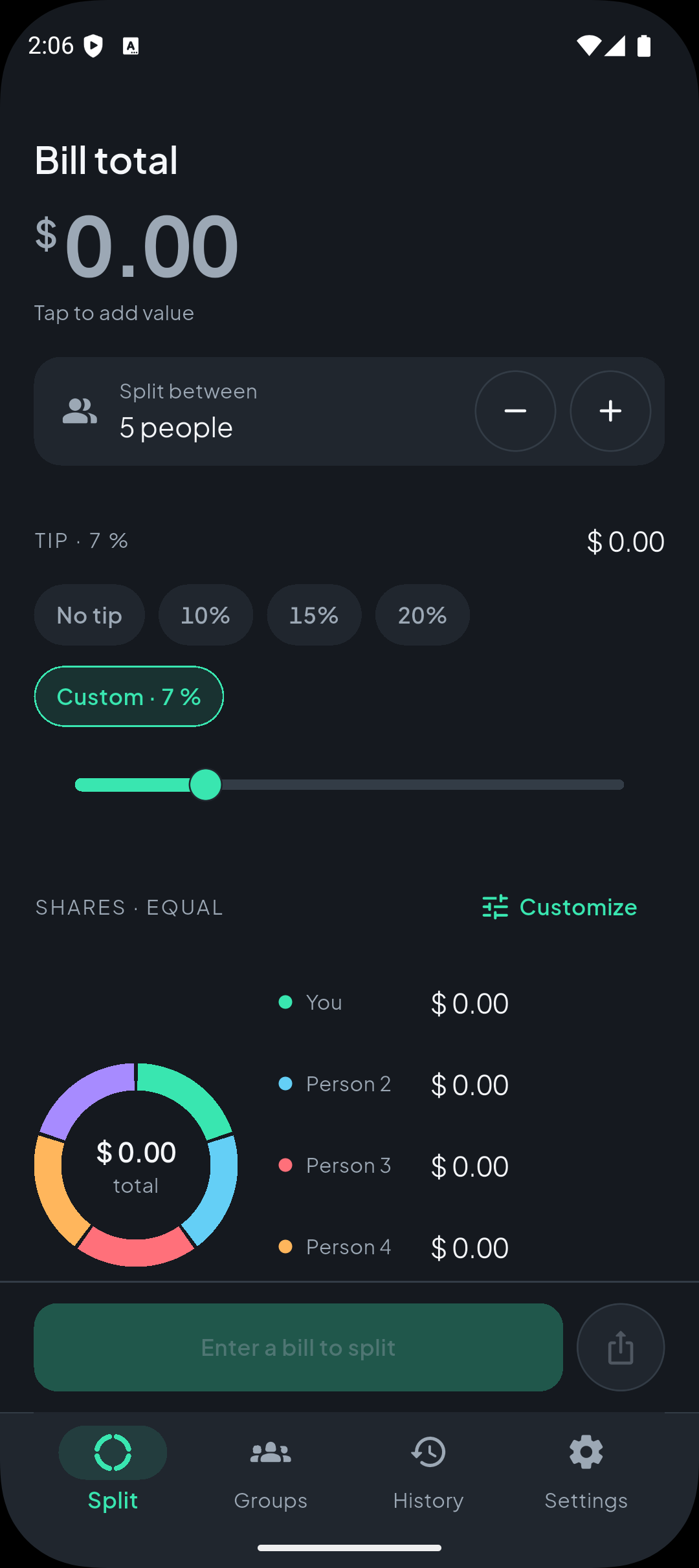
Splitly is the calculator for shared costs. Type the bill, choose how many people are sharing it and add a tip — everyone's share appears at once. For the costs that build up, create a group and keep a clear balance for every person.
- Works offline
- No account needed
- Data stays on your device
Features
Everything a shared bill needs
Splitly does the arithmetic and keeps the record — from a dinner bill with a tip to a trip's worth of shared expenses.
Quick split
Type the bill, pick how many people share it and add a tip. The per-person amount appears at once, with a ring that shows each slice.
Custom shares
Split by percentage or by exact amount. Splitly checks the shares add up to the bill before they apply.
Smart tips
10, 15 and 20 percent presets, a no-tip option, a slider — or any custom tip up to 100%.
Groups
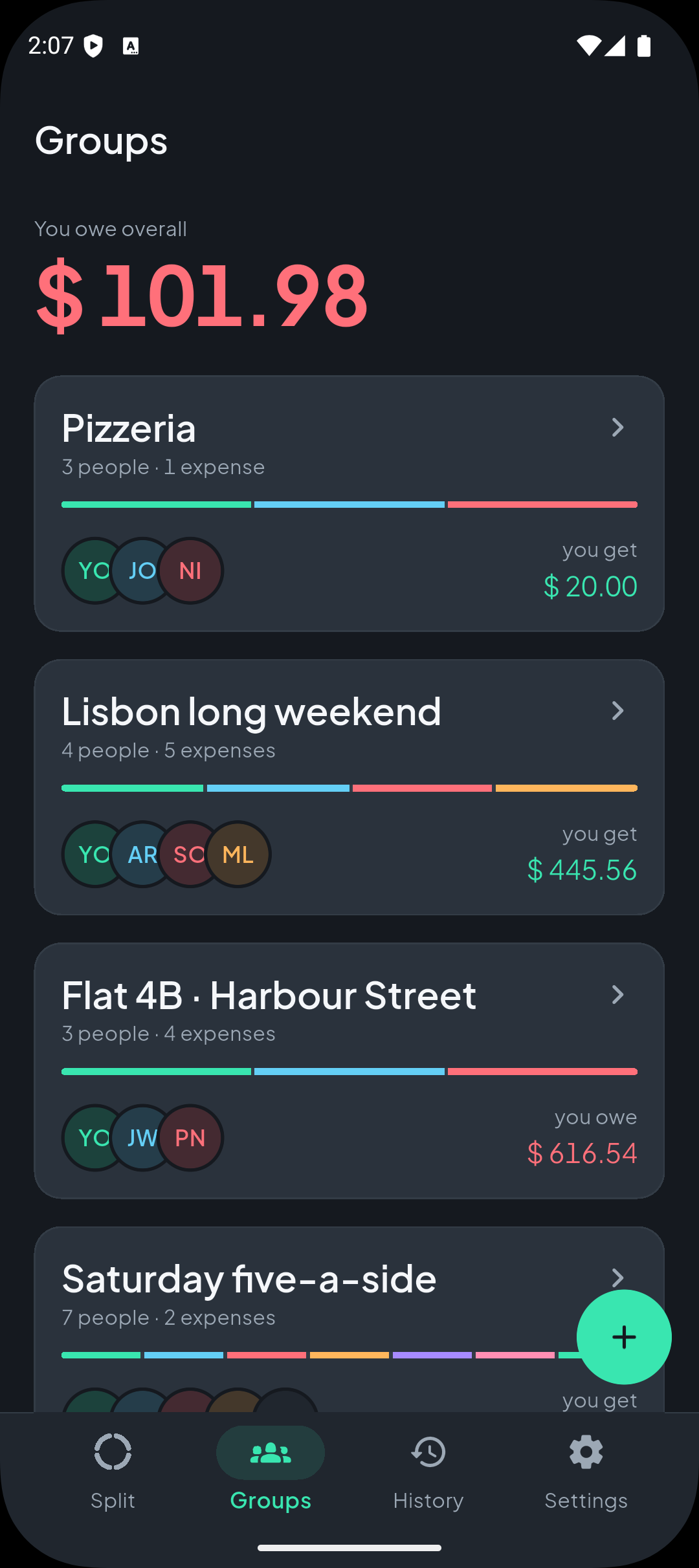
Track trips, flats and shared pots. Record each expense with who paid, when, and who shares it.
Clear balances
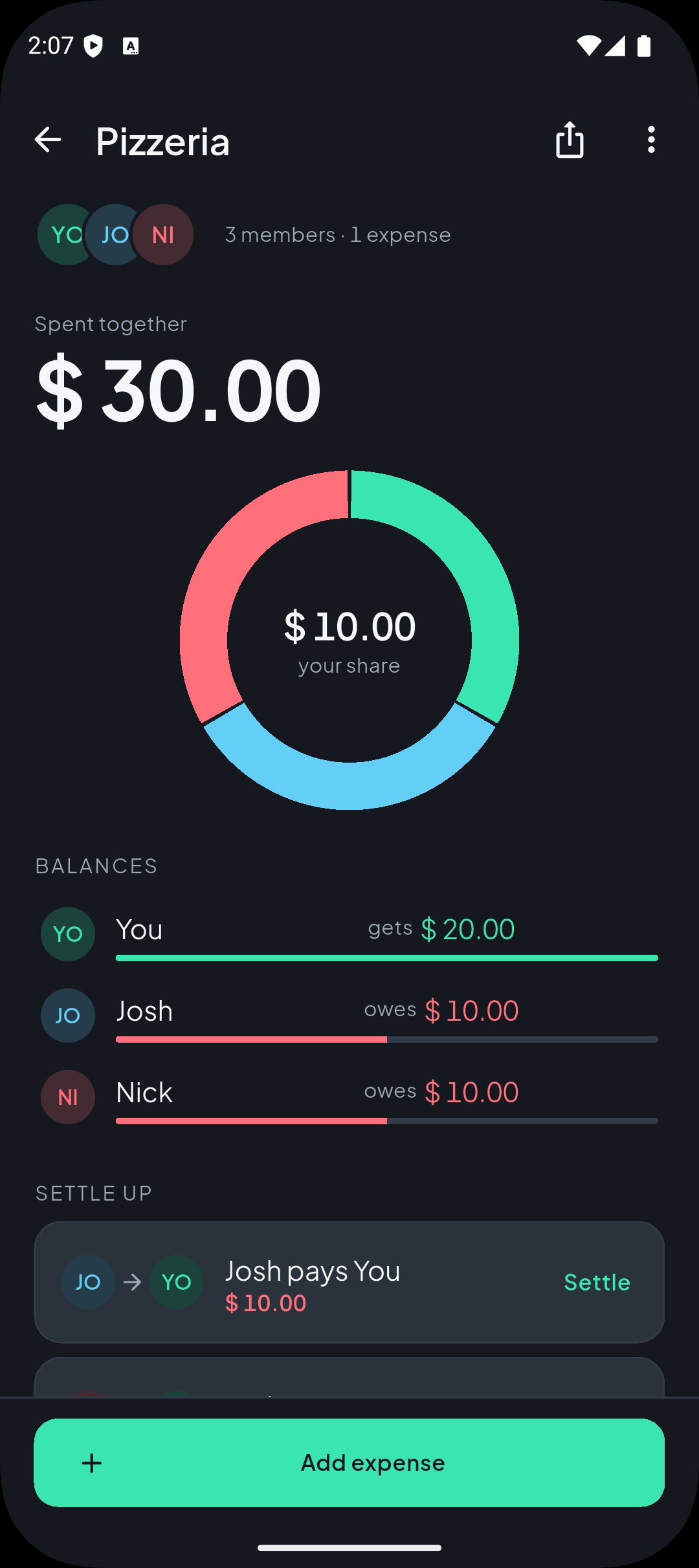
See what each person has paid and owes at a glance — mint when you're owed, coral when you owe.
Suggested transfers
Splitly pairs the largest debtor with the largest creditor and suggests the fewest transfers to square the group up.
History
Every saved split and group activity, grouped by month, with one tap to reuse a past split.
Share summaries
Send a split or a group summary as plain text through any app on your phone.
20 currencies
Choose a default currency from 20 options. Existing groups keep the currency they were created with.
How it works
Three steps, no argument
Add the bill
Type the total. Every share is calculated in whole cents, and any leftover cent goes to the first people — so the shares always add up.
Choose the split
Split equally, by percentage, or by exact amounts. Add a tip, balance the last person, and see the ring update as you go.
Settle up
Follow the suggested transfers, record settlements in full or in part, and share the summary with everyone.
The split ring
One picture of who pays what
The split ring is Splitly's signature. Each segment is a person, sized to their share, and it sweeps to its new values the moment the amount changes. Tap a segment to highlight that person and mute the others.
- You $ 24.30
- Anna $ 24.30
- Sam owes $ 45.00
Mint means money in your favour. Coral means debt. Balance coloring is mechanical, never decorative.
Screens
A look inside
Private by design
Your money, your device
Splitly keeps everything on the device. There is no account, no sign-in and no sync, and the core flows work without an internet connection.
Works offline
Splitting, groups and history all work without a connection.
No account
No sign-up, no sign-in, no sync. Open the app and start splitting.
On-device storage
Your records live on your phone. Uninstalling removes them.
No ads, no tracking
Splitly carries no advertising or analytics. The only network use is viewing these legal pages in the app.
Ready to split?
Download Splitly and split your next bill in seconds.
Free · Android 7.0 or newer · No account required